Getting Started
Packs & Pillagers is a data pack and a resource pack for Minecraft Java 26.3. You need both, and nothing else: no mods or plugins.
Installing
- Download the data pack and the resource pack from Modrinth or GitHub.
- In singleplayer, add the data pack on the Data Packs screen when you create a world, or put the zip in your world's datapacks folder.
- Put the resource pack zip in your resourcepacks folder and turn it on.
- On a server, put the data pack in the world's datapacks folder. Everyone needs the resource pack too, so set it as the server resource pack or have players install it.
Your First Few Minutes
When the world starts, the host picks how to play: Single Player, or Multiplayer with a Shared Board, Individual Boards, or PvP. Then use the Card Board item to sit down at your table.
A strip at the top of your screen walks you through the basics:
- Click a card to pick it up, and click again to drop it.
- Drop a
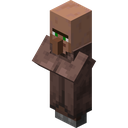 Villager on the
 Berry Bush to pick berries.
- Drop a Villager on the
 Oak Tree to chop logs.
- Put 2
 Oak Logs on a Villager for a
 Crafting Table.
- Put a Villager and an Oak Log on the Crafting Table to make
 Planks.
- Put a Villager and Planks on the Crafting Table to make
 Sticks.
- Drop a Villager on the
 Rock to get
 Cobblestone.
- Craft a
 Stone Pickaxe from 3 Cobblestone and 2 Sticks.
Uses up Cobblestone and Stick.
Learned from the  Pickaxes Idea, or by getting your first Stick.
After that, buy packs at the shops. You can skip the intro from the strip if you already know the ropes.
As you play, more shows up on your table: a  Forest and a
 Humble Pack, then the shop row, and then a Sell slot at the end of it.
Surviving the First Day
Days are half as long as normal. At dawn every villager eats 2 food points from your table and babies eat 1, so keep  Sweet Berries and
 Apples around. See Supper & Food.
The panel at the top right shows the day, your emeralds, your cards against your card slots, and the food you need against the food on your table.
At night monsters creep onto your table. A  Torch keeps them away within 4 blocks. Raiders show up on your table's second night, so have a few fighters ready. See Night & Combat.
Books on Your Table
- The
 Guide Book explains every part of the game.
- The
 Recipe Book opens the
 Cardopedia, which shows every card you've found. Recipes you haven't learned show as ???.
- Your Quest Book lies open on the platform beside your table. See Quests.
- The Controls book in your hotbar lists every key.
For Server Admins
Run /function pnp:admin/menu to get the  Admin Codex. It lists every card in the game and can spawn any of them.